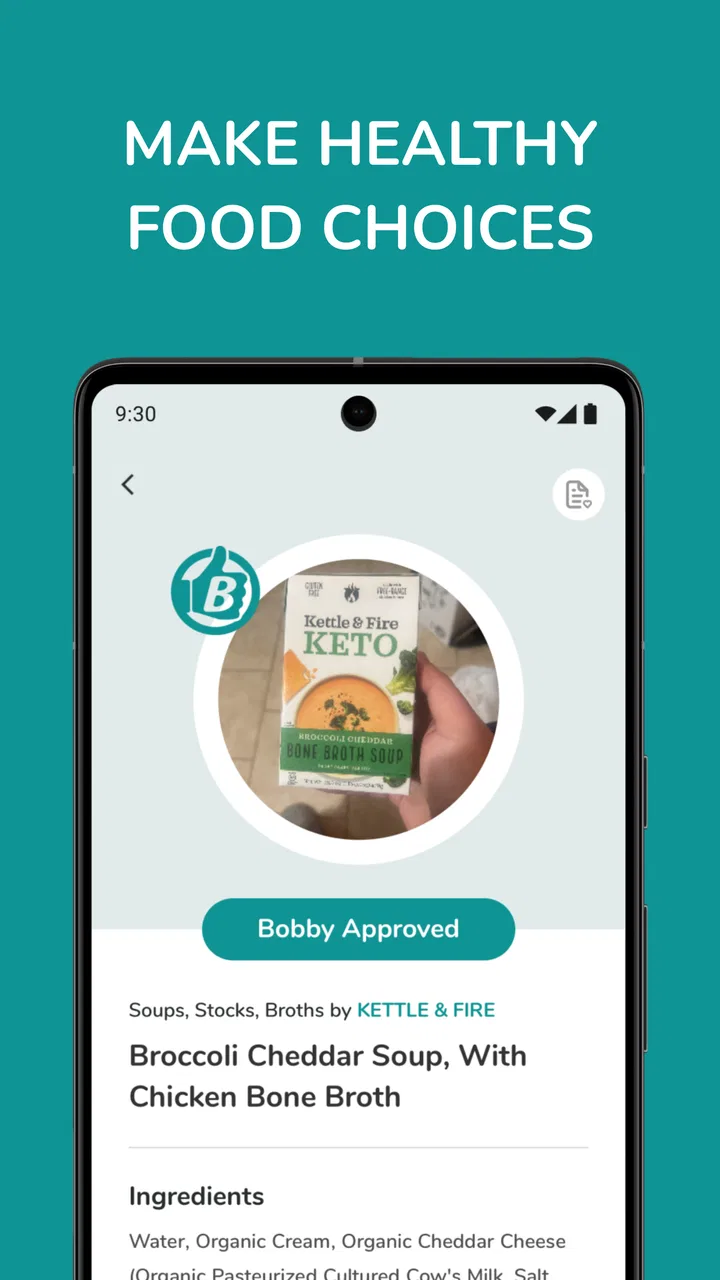
Bobby Approved
- 4.8
- Rating
- 1.00M
- Installs
- Free
- Price

 Analysis by App-foxy
I like food apps that help me make a decision in the aisle rather than simply show me another stream of recipes. Bobby Approved takes that more practical route. It is a free Food & Drink app from BA GLOBAL HOLDINGS, LLC that lets me check products by scanning, searching, or browsing, then see whether they fit its Bobby Approved system. My first impression is that it is most useful when I am standing in a supermarket with a product in my hand and want a quick second opinion.
The app is aimed at people who are trying to make more informed packaged-food choices without reading every label from top to bottom. That does not mean it replaces personal dietary advice or turns shopping into a perfect science. What it does well is shorten the distance between seeing a product and understanding how the app classifies it. With a 4.7 average from around 17 thousand ratings, it is clearly being used by a substantial audience, and its 500 thousand-plus installs make it more than a niche experiment.
The best way to think about Bobby Approved is as a shopping companion, not a complete nutrition authority. That distinction matters. I would use it to compare two similar products, investigate an unfamiliar package, or build confidence around everyday purchases. I would not use one result as the only answer for allergies, medical conditions, or a highly individualized eating plan.
You May Also Like

 Blood Strike: 2.5 Anniversary
Blood Strike’s Loadouts Turn Every Drop Into a Tactical Gamble
A close look at Blood Strike’s custom loadouts: how fast access to signature weapons reshapes its battle royale rhythm, rewards preparation, and narrows the gap between fights.

 Pandora - Music & Podcasts
Pandora’s Music Is Easy to Start, but Harder to Recover
Pandora’s strength is its low-effort path from a seed to a station. Its weak spot is how much confidence it asks you to place in connection, setup, and quiet recovery.

 8 Ball Pool
 Is Built on Rivalries, Rematches, and Routine
A close look at the rivalries, rematches, shared routines, and unanswered safety questions that turn a quick pool match into a persistent mobile community.

 Samsung Music
’s Quiet Strength Is Playing What You Already Own
Its reach comes less from spectacle than from dependable access to a personal library. That simplicity is both the app’s strongest retention engine and its ceiling.

 AccuWeather: Weather Radar
AccuWeather Review: A Quick, Clear Forecast for Everyday Decisions
For everyday plans, the best forecast is the one you can understand quickly. AccuWeather makes rain timing, radar, and local conditions easy to act on, with a few trade-offs.

 Hill Climb Racing
Why Hill Climb Racing Still Turns Crashes Into One More Run
A tiny car, a bumpy hill and one more upgrade: Hill Climb Racing keeps resurfacing because its simple chaos makes every near-miss feel personal.
More From Our News Desk



What to expect when you open Bobby Approved
The central idea is easy to understand: find a product, check its status, and use that information while deciding whether to buy it. You can approach the catalog in three ways. Scanning is the natural choice when you already have a package in front of you. Search is more useful when you want to look something up before shopping or when scanning is inconvenient. Browsing is helpful when you are exploring rather than checking one specific item.
That combination gives the app a useful rhythm. I can start with a product I know, then move into nearby alternatives or broader browsing when I want to compare. A plain barcode checker would be more limited because it would force every question through the camera. Bobby Approved is more flexible for planning a shop from home, where I may not have the package available.
The app is free and carries an Everyone content rating, so it is approachable for households where several people may use the same phone. It was released on June 22, 2021, and the current version is 1.3.2. On Android, it requires Android 7.0 or later. Those details make it suitable for many older devices, although the experience can still depend on the phone’s camera and the quality of the product information available to the app.
One thing I would keep in mind before relying on it heavily is that a product database is only as useful as the match between the item in your hand and the item represented in the app. Packaging can change, regional versions can differ, and similar products can have nearly identical names. The app may give you a fast result, but I still check the physical label when the distinction matters.
Who gets the most value from it
Bobby Approved makes the most sense for someone who wants a repeatable way to screen packaged foods. It can be especially convenient for a busy shopper who has a general food standard in mind but does not want to memorize every ingredient or compare every panel manually. Parents may also appreciate having a quick tool for checking lunchbox items, while people changing their shopping habits can use it to learn which products tend to meet their chosen standard.
It is less suitable for a person who wants detailed meal planning, recipe organization, calorie tracking, or a full record of daily nutrition. Those tasks call for a different type of app. It is also not the right single tool for someone managing a serious allergy or a medical diet. In those situations, I would treat its result as an extra reference and read the complete packaging information carefully.
Getting started and reaching the first useful result
I find the first check most useful when I treat it as a small experiment, not a test I have to pass: choose a familiar item, see how it is classified, and compare that with what you already know about the label. That gives you a feel for how the app fits your own shopping habits before you depend on it in a rushed aisle. Next, I look at how a few focused checks can become a practical routine.
Install, open, and choose the simplest route
After installing Bobby Approved, I would begin with a product already nearby rather than trying to understand every part of the app first. A cereal box, snack, sauce, or drink gives you an immediate test case. If the package has a scannable code, the scanning route is usually the most direct. Hold the phone steadily, give the camera a clear view, and avoid covering the code with your fingers or a glare from the packaging.
If scanning is awkward, do not assume the app is unusable. Search is the better fallback when the package is reflective, the code is damaged, or you are checking an item from a shopping list. Browsing is a third option for learning how the catalog is organized. I find that starting with search can actually be less frustrating for products that have several sizes or varieties, because it encourages me to look at the exact name instead of accepting the first visual match.
The first meaningful success is not simply opening a page. It is checking one product and then using the result to make a practical comparison. For example, I might scan one packaged snack, note how Bobby Approved classifies it, and then search for another snack in the same aisle. That second step tells me whether the app can support a shopping decision rather than just deliver a one-off curiosity.
A realistic supermarket workflow
Imagine I am shopping after work and have only a few minutes. I pick up two pasta sauces that look similar, scan the first, and then search the second if the barcode is difficult to capture. Instead of wandering through ingredient lists while blocking the shelf, I get a quick way to organize the comparison. I can then return to the packaging for the details that matter to me, including serving information and ingredients.
This is where the app earns its place on my phone. It does not need to manage the entire shop to be useful. A few targeted checks can reduce hesitation at the shelf. I would keep the app open while comparing related products, but I would avoid scanning every item automatically. That turns a helpful shortcut into a slow ritual and may not improve the final decision.
A second useful workflow is checking before leaving home. If I am planning a grocery trip, I can search for products I already buy and use the results to prepare a short list of alternatives. This is more efficient than discovering the app for the first time in a crowded store. It also gives me time to notice whether the exact product variation appears in the results.
How to interpret the result without overreading it
The Bobby Approved label is a screening signal. I see it as the app answering a defined question about whether a product fits its approval approach, not as a complete statement that the food is ideal for every person. A product can meet one standard and still be unsuitable for a particular allergy, preference, portion plan, or health goal.
That is an important habit for first-time users. If the app marks something as approved, I still verify the package when I have a specific reason to be cautious. If it does not match what I expected, I do not immediately assume the app or the label is wrong. I check whether I searched the exact variety, whether the package is a different size or flavor, and whether the product has changed since I last bought it.
One non-obvious advantage of this approach is that a surprising result can teach you where your assumptions are incomplete. I may think two products are interchangeable because they sit together on a shelf, while their formulations differ. Using the app as a prompt for a closer comparison is more valuable than treating it as a final verdict.
Where the experience can feel less smooth
Scanning is naturally dependent on the physical situation. Dim aisles, shiny wrappers, curved containers, and damaged codes can make the quickest route less quick. I would not judge the whole app by one failed scan. Switching to search is often the sensible move, especially when I already know the product name.
Search can introduce its own caution. A broad name may bring up multiple versions, so I look for the exact flavor, size, or product type before deciding that the result belongs to the item in my hand. This is one of the most important practical checks because a near match can create false confidence.
Browsing is useful for discovery, but I would not expect it to replace a personal shopping plan. It can help me explore what is available in the app’s catalog, yet I still need to connect that exploration to my own budget, taste, household needs, and local availability. The app is strongest when I give it a focused question.
Building a smarter routine after the first check
Once I know how a product check works, I try to make each later visit answer a specific shopping question rather than browsing aimlessly. Comparing close alternatives, or revisiting an item when its packaging changes, helps me learn what deserves a closer look while keeping the phone from taking over the trip. The next section turns that approach into a repeatable habit.
Use it for comparisons, not constant approval hunting
After the first successful scan, I would create a simple routine: check unfamiliar products, compare close substitutes, and revisit items when I notice a packaging change. That keeps Bobby Approved useful without making every grocery decision dependent on the phone. The goal is to make better choices faster, not to outsource every choice.
A particularly effective trick is to compare within one category. Check two or three similar products rather than jumping randomly between unrelated foods. This reveals how the approval system helps with real decisions: choosing between sauces, snacks, breakfast items, or drinks that serve the same purpose. It also prevents the common mistake of assuming that an approved product is automatically the best option among all possible choices.
I would also use the app as a learning tool. When a product surprises me, I can inspect the package and identify what made it different from another item. Over time, that builds label-reading confidence. The app then becomes less of a crutch and more of a quick reference that supports my own judgment.
When another type of app is a better fit
If my main goal were tracking calories, protein, or a complete daily intake, Bobby Approved would not be my first choice. A nutrition tracker is designed around logging and totals, while this app is designed around checking products. If I wanted recipes and a shopping list, I would choose a meal-planning app. If I needed allergy-focused scanning, I would look for a service built specifically around that medical concern and still verify every label.
That comparison does not weaken Bobby Approved; it clarifies its role. Its value is speed and simplicity during product selection. The trade-off is that a focused approval result does not provide the depth of a full nutrition database or the personal safeguards of professional dietary guidance.
Answers to the questions I would have before keeping it
Can I use it without scanning? Yes. Searching and browsing give you alternatives when you are planning at home, checking a product whose code will not scan, or simply exploring the catalog. I would try search first if the item is not physically beside me.
Does an approval result mean I can ignore the package? No. I would still read the label for allergens, ingredients, serving details, and any personal restrictions. The result is most helpful as a fast filter, not as permission to skip information that affects my health.
Is it useful if I only buy a few packaged foods? It can be, especially if those foods change often or you regularly compare brands. If your shopping is almost entirely fresh, unpackaged food, you may have fewer occasions to use it and may not need a dedicated checker.
What should I do when the result seems wrong? First check the exact product variation, then compare the app’s match with the package in your hand. Try searching instead of scanning, or scan again with the code flat and well lit. If the mismatch remains important, rely on the physical label rather than forcing the app to settle the question.
Can children use it? The Everyone rating makes it approachable for general audiences, but I would still guide a child through the meaning of the result. It is better to teach them that the app is one shopping aid than to suggest that a single label defines whether a food is universally good or bad.
After spending time with it, I see Bobby Approved as a focused, practical tool for product decisions. BA GLOBAL HOLDINGS, LLC keeps the concept clear: scan, search, or browse, then use the result to narrow the choice. The app is free, available for a broad range of Android devices through its Android 7.0 minimum, and its current version is 1.3.2.
My recommendation is straightforward. Install it if you often stand in front of packaged foods wondering which option fits your usual standards, and begin with one product you already own. Scan it, search for a close alternative, and compare both results with the actual labels. That small exercise shows you what the app can genuinely do and where your own judgment still matters.
I would skip it if I need detailed nutrition tracking, personalized medical guidance, or a complete meal-planning system. For everyone else, especially first-time users who want a calmer way to shop, Bobby Approved is a useful companion when treated as a shortcut rather than a final authority. Its strongest feature is not that it makes every food decision for me; it is that it helps me ask a better question at the exact moment I am choosing what to put in my basket.
FAQs for Bobby Approved
01What is Bobby Approved and what does it do?
Bobby Approved is an app designed to help users make informed decisions about the food they consume. It provides detailed information about various food products, including ingredient analysis and nutritional value. This app is ideal for those looking to maintain a healthy diet or track specific dietary needs.
02Is Bobby Approved available on both Android and iOS?
Yes, Bobby Approved is available for download on both Android and iOS platforms. Users can find it on the Google Play Store and the Apple App Store. The app ensures a seamless experience across devices, making it accessible for a wide range of users.
03Does Bobby Approved require a subscription or any in-app purchases?
Bobby Approved offers a free version that provides basic features. However, for access to premium features, such as advanced product insights and personalized recommendations, users may opt for a subscription. Pricing details are available within the app, and users can choose plans that suit their needs.
04How accurate is the information provided in Bobby Approved?
The app sources its data from reputable databases and regularly updates its information to ensure accuracy. While it strives to provide reliable insights, users are encouraged to verify critical dietary information, especially if they have specific health conditions or dietary restrictions.
05Can Bobby Approved be used offline, and how does it handle data privacy?
Bobby Approved requires an internet connection to access the latest product information. However, it does store some data locally for quick access. As for privacy, the app adheres to strict data protection policies, ensuring user information is kept confidential and is not shared with third parties without consent.
Pros
- User-friendly interface for easy navigation.
- Comprehensive database of approved foods.
- Regular updates with new food items.
- Barcode scanner for quick checks.
- Personalized recommendations based on preferences.
Cons
- Limited offline functionality.
- Requires account for full access.
- Occasional slow loading times.
- Some features behind a paywall.
- Not all brands are included.

Bobby Approved
Gallery